Help From FAQ's
Get answers to frequently asked questions.
-
I just downloaded the app, where do I start?
- Begin by creating a Location.
- Add an Area if you'd like or just add (+) a box and give it a name.
- Start labeling and packing your boxes.
- Record the contents of each box in the app, and if desired, attach pictures (individually or select a group from your photo library).
- The WiseMove App is compatible with any unique QR code label that you scan and attach to the box.
- Alternatively, you can use the WiseMove App's assigned Box Number for easy tracking, even without a QR code label.
-
Can someone read my QR code with a standard QR code reader?
A: No, your WiseMove QR codes and the contents or images you've recorded in the WiseMove app are not accessible by others. In essence, these codes are meaningless without access to your WiseMove account or physical phone. Your data remains private and secure.
-
I want to share my boxes list, can I do that?
A: As a WiseMove account holder, you have exclusive ownership and access to your account and its content information. We strongly discourage sharing your email address and WiseMove password with others to maintain the security of your account.
However, we offer specialized integration accounts for Pro Movers and Pro-Packers, providing unique sharing capabilities. Please feel free to reach out to us for more information on this service.
Additionally, we are actively developing features that will enable you to add delegates to your account, allowing other family and friends to access various roles and permissions. If you're interested in this feature, please contact us at thewisemoveapp@gmail.com to express your interest.
-
Will any QR code work with the WiseMove App?
A: Yes, we've designed the WiseMove app to seamlessly work with any QR code that you link to your tote or box.
There are numerous pre-printed QR code labels available in the market, and you can find a comparison chart here.
The key thing is that each QR Code must be unique to your account. Using the same QR code on multiple boxes is not allowed.
WiseMove also provides you with the option to choose from a variety of printable label templates to print QR codes for free. The advantage is that with WiseMove, you can choose how many multiple labels you want per box. Furthermore, we are in the process of making pre-printed labels and boxes available for purchase in the very near future.
-
What if I don't have a printer to print labels?
A: No problem! Printing QR labels is optional.
WiseMove automatically assigns a box number within each location you create (like a garage or storage unit). You can simply write that box number on your box or tote and still search and track everything in the app.
This means you can stay organized and find your items easily — even without printed labels.
-
How many labels should I put per box?
A: The choice is yours.
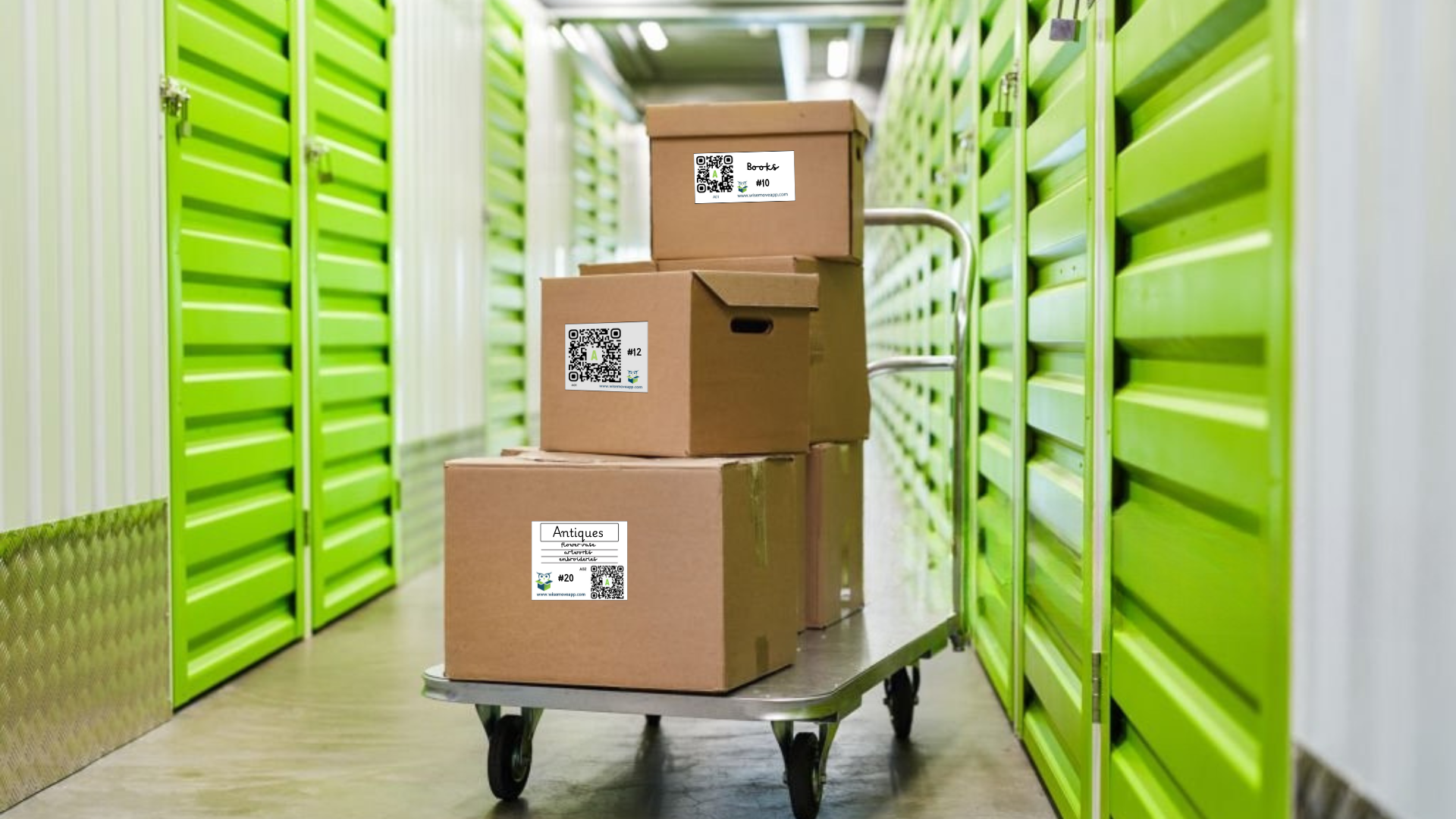
We recommend placing labels on at least two out of the six sides of the box. (Four for effortless viewing and scanning, regardless of how they are stacked or stored.) For more labeling tips and best practices, feel free to check out our recommendations here.
-
What is a QR code?
A: QR stands for Quick Response. When using the WiseMove app, you can scan the QR Code to swiftly retrieve the information you've linked to each unique code.
Note: It's essential to scan QR codes using the WiseMove App to access the specific box information you've linked to the code. Scanning QR codes with your phone's camera outside of the WiseMove App may lead to unpredictable outcomes, especially if it's not a WiseMove-provided QR Code. When scanned from the WiseMove App, you'll always find the box information you entered when linking the QR code label to your account.
-
Can other people see the notes I create?
A: No, the notes you create within the WiseMove App are private and only accessible by you. They are not visible to other users or individuals unless you choose to share them. Your notes remain secure and confidential within your WiseMove account.
-
How can I share my account with others?
A: Currently, WiseMove accounts are designed for individual use, and sharing login credentials is not recommended for security reasons. However, we are actively working on features that will allow you to share various roles and permissions with others, such as family members or friends, within your account.
If you're interested in this feature, please contact us at thewisemoveapp@gmail.com to express your interest and be notified when this functionality becomes available. Until then, it's advisable to keep your WiseMove account credentials private.
-
Can I reuse QR codes?
A: Yes. QR codes in WiseMove are reusable.
A QR code acts as a link to a box record. If you no longer need that link, you can remove it and reuse the same QR code by linking it to another box. You can also update a box’s name, description, or item list without changing the QR code.
This is especially useful for reusable bins, seasonal storage, or reorganizing over time.
-
Is it possible to use UPC (bar) codes in place of QR codes?
The current version of WiseMove only references box numbers or QR Codes. Our customer's needs and ideas do drive new features and functionality. We have plans to include features around scanning UPC Codes so please ping us with your use-case and thoughts about this or other features.
-
Is my content / inventory backed up in the cloud?
A: Your data is securely stored in the WiseMove cloud. Even if your phone is lost or replaced, your information can be restored simply by logging back into your account on a new device. We do not currently store your data locally on your device, ensuring it remains safe and accessible from anywhere.
-
Can I download a record or print my inventory list?
A: Not just yet — but it’s on our roadmap.
We’re actively working on a feature that will allow you to export or print your box and inventory details for moving day, insurance documentation, or sharing with others.
In the meantime, you can view, search, and update all of your boxes, items, and QR codes directly in the app.
If you need a downloadable copy of your inventory sooner, you can reach out to our support team and we’ll do our best to assist you with a temporary export.
Want to be notified when this feature is available? Just drop us a note at support@wisemoveapp.com!
-
Why does WiseMove offer so many different types of label templates on the Print Labels for Free page?
A: We understand that everyone approaches the moving and storing process differently. That's why we provide a diverse range of label templates to cater to various preferences and personalities.
For some users, simplicity is key. They prefer a QR code and/or the relevant box number, storing all additional information in the WiseMove app. Others may want more details, such as room names and space for a reference item or two on the label.
Our goal is to offer options that suit your unique needs and style. Feel free to explore our label designs and choose the one that works best for you and your organization system.
If you have specific suggestions for us, please let us know as we are adding more options as need arises.
-
What do I get with my free WiseMove app account?
A: A Free WiseMove App account gives you full access for a single user to organize and inventory your belongings using WiseMove’s core features.
With a free account, you can:
• Inventory up to 20 boxes
• Use 1 location
• Organize within up to 2 areas
• Add up to 5 images per box
• Search and manage your items for moving or storage
This is a great way to get started and experience how WiseMove helps you stay organized and find what you need quickly.
If you need more boxes, locations, images, or additional features, you can explore Premium access or connect with one of our WiseMove App sponsors.
📧 Contact us at founders@wisemoveapp.com
🌐 View sponsors at www.wisemove.pro
-
How much is a Premium User account?
Currently the only way you can obtain a Premium WiseMove Account is by having a WiseMove Pro Sponsor. If you need a Sponsor's Code, please contact us.
support@wisemoveapp.com
-
What do I get with my Premium WiseMove App account?
Premium User Accounts Include:
- Up to 3 Locations
- Unlimited Areas
- Unlimited Boxes
- Unlimited Photos
- Have access to special discounts on WiseMove Pro products and services
-
What does it mean to be a delegate-user?
This means that a Premium User has invited you to their account. The Account Owner determines what permissions and roles you have in the WiseMove App.
See Roles and Permissions here.
-
What is a WiseMove Pro?
A: A WiseMove Pro is a professional in the real estate, apartment complex management, packing, moving, insurance, mortgage, or other related industries. They specialize in ensuring that your move is a "Smooth-Move" by offering their expertise and services.
WiseMove Pros can provide you with premium user benefits. They may offer you a discounted rate or even sponsor your annual WiseMove Premium User Account, granting you free access to enhanced features and services. WiseMove Pros are dedicated to making your moving and storage experience as seamless as possible.
-
How do I get access to a Premium WiseMove account if I don't have a Sponsor Code?
A: No problem. Just reach out to WiseMove directly and we’ll help you get access to a Sponsor Code or discuss available Premium options.
📧 support@wisemoveapp.com
-
How do box numbers work if I have multiple locations?
A: Box numbers are unique within each location, not across your entire account.
For example:
• You can have Box 1 in your Garage
• And Box 1 in a Storage Unit
Because they’re in different locations, WiseMove keeps them separate and easy to find.
If you move a box from one location to another and that box number already exists there, WiseMove will let you know and prompt you to relabel the box with the next available number for that location.
This helps prevent duplicates and keeps everything organized.
-
Can I use my own QR codes with WiseMove?
A: Yes. WiseMove works with any QR code, as long as it’s unique within your account.
You can link a QR code to a box, unlink it when you’re done, and reuse that same QR code by linking it to a different box later. This gives you full flexibility to use labels you already have or prefer.
-
What happens if I move a box to a different location or area?
A: WiseMove makes it easy to move boxes between locations or areas as things change.
If a box number already exists in the new location, WiseMove will notify you and prompt you to relabel the box with the next available number for that location. All box details and item history stay intact.